VMware Player telepítése Ubuntura
VMware Playert ingyenes elérhetjük, ezáltal a VMware virtuális gépeket futtathatjuk saját gépünkön. A VMware Player Ubuntu tárolókból nem érhető el (onnét csak a VMware Server), ezért kézzel kell telepíteni, de ez is hamar megvan. Jelenleg Linuxra a 2.5.2 Build: 156735 a legújabb elérhető VMware Player.
A leírás Ubuntu Hardy (8.04 LTS) és Intrepid (8.10) rendszerek alatt működik működik.
Letöltés
Töltsük le a VMware Playert erről az oldalról. A .bundle változatot töltsük le,a gépünknek megfelelő biteset (32 vagy 64 bit). A telepítőt mentsük az Asztalunkra.
Telepítés
Nyissunk meg egy Terminált (parancssort, konzolt), majd írjuk be a következő parancsot, majd telepítsük fel a Linux kernelünkhöz való fordító és fejléc csomagokat.
sudo apt-get install build-essential linux-headers-`uname -r`Ügyeljünk rá, hogy ` jel (ALT GR+7) között legyen az uname -r parancs, ne pedig ‘ (SHIFT+2) között! Így az aktuális kernelünkhöz való csomagokat tudjuk telepíteni.
Ha ez megvan, indítsuk el a telepítést a következő paranccsal:
sudo bash ./Asztal/VMware-Player-*.i386.bundleErre elindul a grafikus telepítő.
Első lépésben kattintsunk az Install gombra.
Elkezdődnek felmásolódni a fájlok…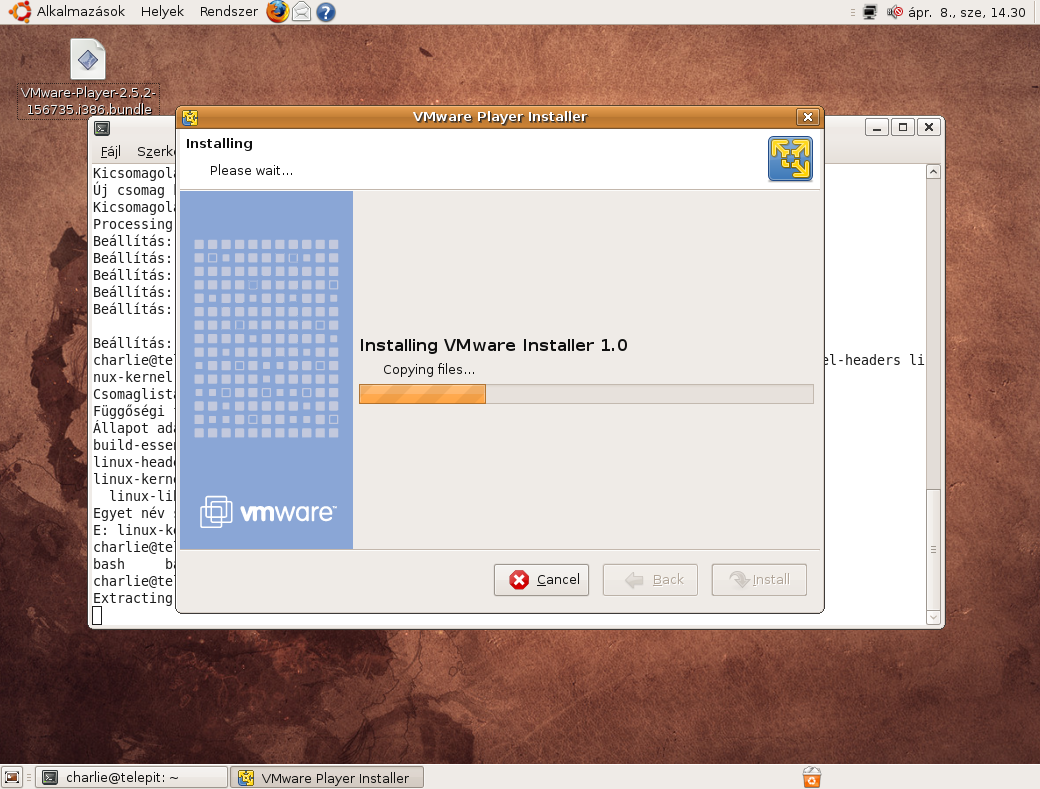
Ha felmásolódtak a fájlok, akkor kattintsunk a Close gombra.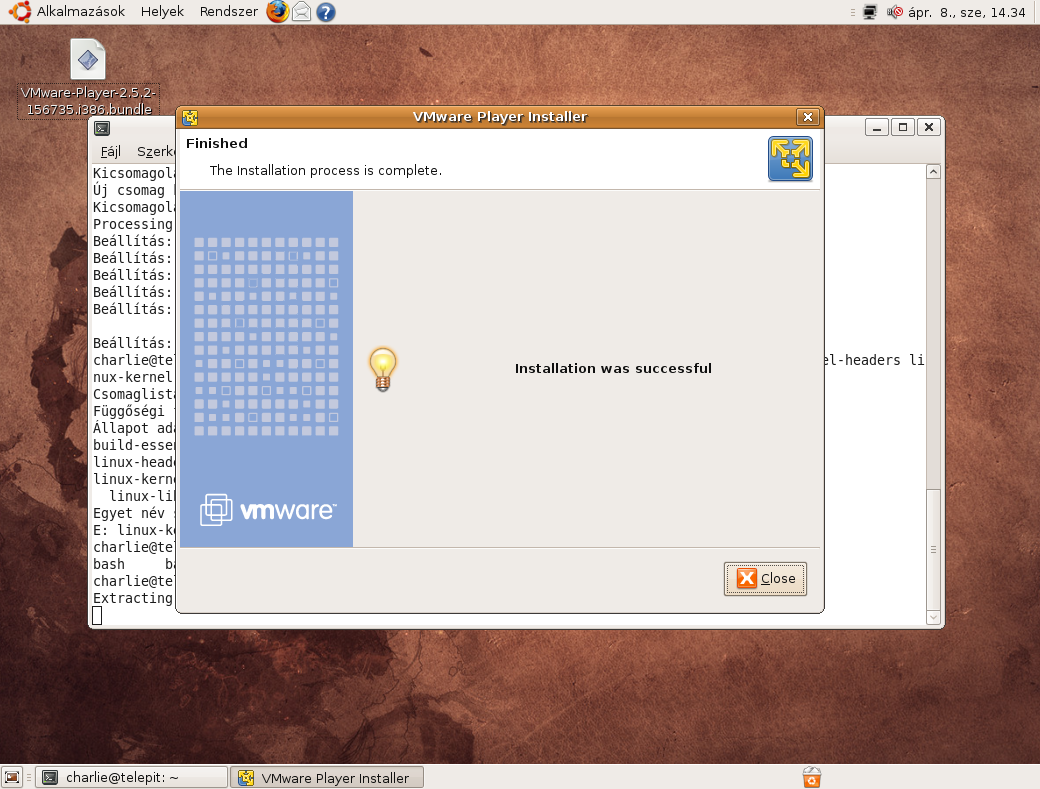
Bezárhatjuk most már a parancssort, valamint a telepítőt is letörölhetjük az Asztalról. A VMware Playert az Alkalmazások, Rendszereszközök között találjuk.
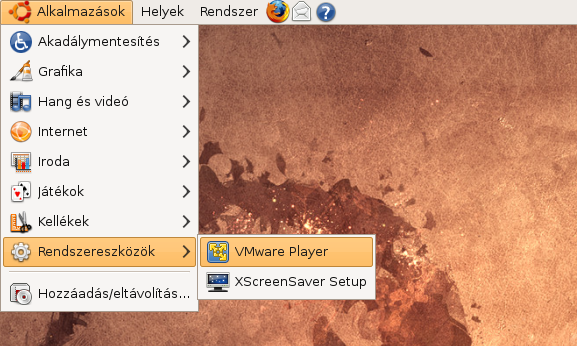
Első indításkor el kell fogadnunk a program EULA-ját, ehhez csak kattintsunk az Accept gombra
Letöltött virtuális gép elindításához kattintsunk az Open an existing Virtual Machine gombra, majd tallózzuk ki. Ezután berakja egy listába is, így nem kell többet kitallózni.
Eltávolítás
A program eltávolításához szükség van az eredi telepítőre. Nyissunk meg egy Terminált, majd a következő parancsot írjuk be (ha az Asztalra mentettük a telepítőt):
sudo bash ./Asztal/VMware-Player-*.i386.bundleMajd az eltávolítás automatikusan elkezdődik. Ha kész az eltávolítás, csak kattintsunk a Close gombra.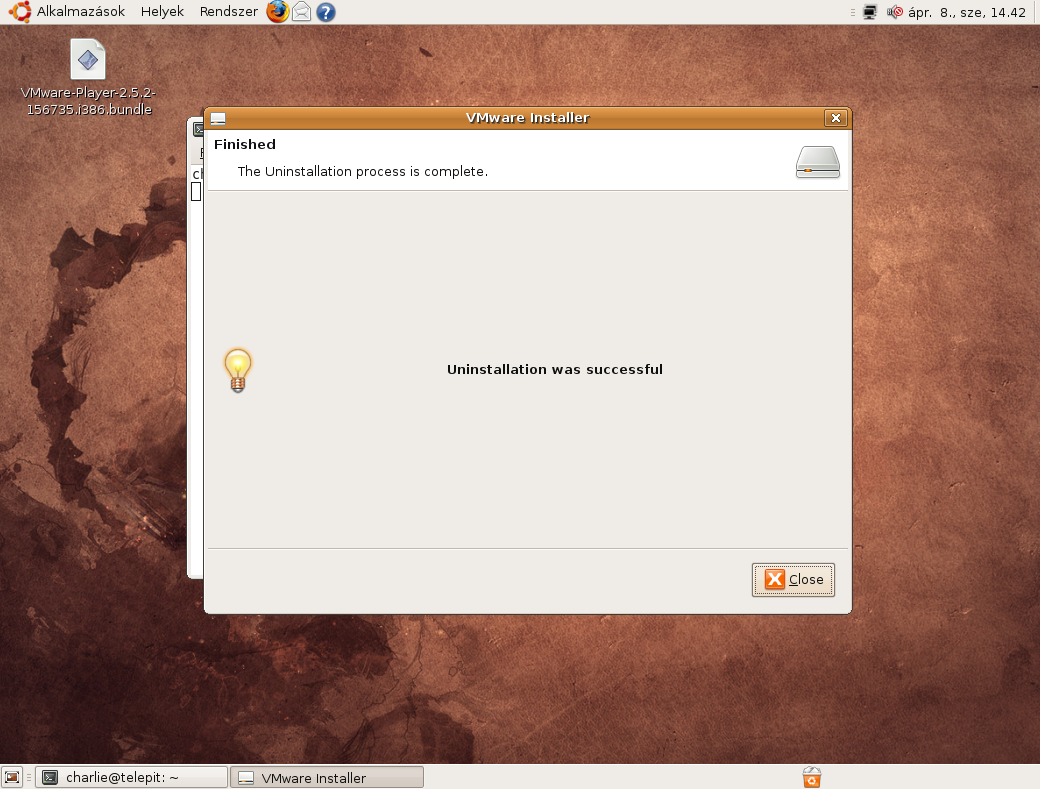
24 thoughts on “VMware Player telepítése Ubuntura”
Vélemény, hozzászólás?





Sziasztok!
Ezt a „kattintsunk Open an existing Virtual Machine gombra, majd tallózuk ki. Ezután berakja egy listába is, így nem kell többet kitallózni.”-t nem ertem !! Ha raklikkelek akkor egy .vmx kiterjesztesu fajlt keres – de hol? Esetleg van valahol a tovabbi hasznalatrol valami magyar leiras vagy csak en nem talaltam rola?!
Koszi!!
Ott, ahova letöltötted a virtuális gépet. Playerrel nem tudsz létrehozni, csak futtatni mások által létrehozottat, amit netről szerdsz le, vagy máshonnét.
Azért Player, mert csak lejátsza a meglévő gépet. Létrehozni vagy kézzel hozol létre, vagy Workstationnal
Azt írtad a cikk elején, h a vmware server tárolóból elérhető! Ez melyik tároló lenne? Válaszodat nagyon megköszönném, mert a vmware server forrásból való telepítésébe nekem már többször beletört a bicskám, s jobb lenne egy egyszerűbb megoldás annál! 🙂
A Canonical partner tárolóból:
deb http://archive.canonical.com/ubuntu gutsy partnerTermészetesen ha nem gutsy-d (7.10), akkor a gutsy-t írd át a saját verziódnak megfelelőre
Köszi szépen! Kipróbálom azonnal! 🙂
vmware is installed, but it has not been (correctly) configured
for this system. To (re-)configure it, invoke the following command:
/usr/bin/vmware-config.pl.
Erre mi a megoldás?
Nyitsz egy parancssort (konzolt), és beírod a következő parancsot:
És erre? ->>>
Making sure services for VMware Player are stopped.
Stopping VMware services:
Virtual machine monitor done
Configuring fallback GTK+ 2.4 libraries.
In which directory do you want to install the theme icons?
[/usr/share/icons]
What directory contains your desktop menu entry files? These files have a
.desktop file extension. [/usr/share/applications]
In which directory do you want to install the application’s icon?
[/usr/share/pixmaps]
Trying to find a suitable vmmon module for your running kernel.
None of the pre-built vmmon modules for VMware Player is suitable for your
running kernel. Do you want this program to try to build the vmmon module for
your system (you need to have a C compiler installed on your system)? [yes]
Using compiler „/usr/bin/gcc”. Use environment variable CC to override.
What is the location of the directory of C header files that match your running
kernel? [/lib/modules/2.6.27-7-generic/build/include]
Extracting the sources of the vmmon module.
Building the vmmon module.
Using 2.6.x kernel build system.
make: Entering directory `/tmp/vmware-config0/vmmon-only’
make -C /lib/modules/2.6.27-7-generic/build/include/.. SUBDIRS=$PWD SRCROOT=$PWD/. modules
make[1]: Entering directory `/usr/src/linux-headers-2.6.27-7-generic’
CC [M] /tmp/vmware-config0/vmmon-only/linux/driver.o
In file included from /tmp/vmware-config0/vmmon-only/./include/x86.h:24,
from /tmp/vmware-config0/vmmon-only/linux/driver.h:15,
from /tmp/vmware-config0/vmmon-only/linux/driver.c:84:
/tmp/vmware-config0/vmmon-only/./include/x86paging.h:61:1: warning: „PTE_PFN_MASK” redefined
In file included from include/asm/paravirt.h:7,
from include/asm/irqflags.h:55,
from include/linux/irqflags.h:57,
from include/asm/system.h:11,
from include/asm/processor.h:17,
from include/linux/prefetch.h:14,
from include/linux/list.h:6,
from include/linux/module.h:9,
from /tmp/vmware-config0/vmmon-only/linux/driver.c:12:
include/asm/page.h:22:1: warning: this is the location of the previous definition
In file included from /tmp/vmware-config0/vmmon-only/linux/vmhost.h:13,
from /tmp/vmware-config0/vmmon-only/linux/driver.c:115:
/tmp/vmware-config0/vmmon-only/./include/compat_semaphore.h:5:27: error: asm/semaphore.h: Nincs ilyen fájl vagy könyvtár
/tmp/vmware-config0/vmmon-only/linux/driver.c:197: error: unknown field ‘nopage’ specified in initializer
/tmp/vmware-config0/vmmon-only/linux/driver.c:198: warning: initialization from incompatible pointer type
/tmp/vmware-config0/vmmon-only/linux/driver.c: In function ‘LinuxDriver_Ioctl’:
/tmp/vmware-config0/vmmon-only/linux/driver.c:1801: error: too many arguments to function ‘smp_call_function’
make[2]: *** [/tmp/vmware-config0/vmmon-only/linux/driver.o] Error 1
make[1]: *** [_module_/tmp/vmware-config0/vmmon-only] Error 2
make[1]: Leaving directory `/usr/src/linux-headers-2.6.27-7-generic’
make: *** [vmmon.ko] Error 2
make: Leaving directory `/tmp/vmware-config0/vmmon-only’
Unable to build the vmmon module.
For more information on how to troubleshoot module-related problems, please
visit our Web site at „http://www.vmware.com/download/modules/modules.html” and
„http://www.vmware.com/support/reference/linux/prebuilt_modules_linux.html”.
Execution aborted.
sudoval írd be a parancsot (sudo /usr/bin/vmware-config.pl)
sudo-val is ugyanezt csinálja. Mi lehet a probléma?
ugyanaz a problémám mint cheebee-nek :\
Milyen Ubuntu verzió?
intrapid.
Frissült a leírás Hardyra és Intrepidhez, valamint a legújabb VMware Playerrel történő telepítéshez.
\o/ köszi 🙂
Sikerült most?
igen. köszönöm szépen.
Charlie, aktualizálnád a leírást 9.04 alá is? A fentieket követve csak hibaüzeneteket kapok 🙁 Köszönöm szépen!
9.04-hez íme egy script, amit futtatva megold mindent:
#!/bin/bash echo "Updating packages..." sleep 15 sudo apt-get update echo Y|sudo apt-get upgrade echo -n "Determining whether this is a desktop or a server installation... " if [ "${kernelstring=`uname -r|grep -i server`}" == "" ]; then desktopinstall=true echo "desktop." else desktopinstall=false echo "server." fi sleep 15 if [ $desktopinstall == true ]; then echo Y|sudo apt-get install build-essential libgtk2.0-dev libgtkmm-2.4-dev libproc-dev libdumbnet-dev xorg-dev psmisc linux-headers-`uname -r` libproc-dev libicu-dev libglib2.0-dev libnotify-dev libfuse-dev xserver-xorg-input-vmmouse else echo Y|sudo apt-get install build-essential libproc-dev libdumbnet-dev psmisc linux-headers-`uname -r` libproc-dev libicu-dev libglib2.0-dev libfuse-dev fi mkdir /tmp/vmware-ins && cd /tmp/vmware-ins echo "Downloading VMware Tools..." sleep 15 wget http://vmware-ins/scripts/vmware-tools-ubuntu904.tgz echo "Removing (Open) VMware Tools if installed" sleep 15 echo Y|sudo apt-get remove open-vm-tools if [ -f /usr/bin/vmware-uninstall-tools.pl ]; then sudo perl /usr/bin/vmware-uninstall-tools.pl fi echo "Untaring VMware Tools..." sleep 15 tar xzvf vmware-tools*.tgz echo "Installing VMware Tools..." sleep 15 cd vmware-tools*/ sudo perl ./vmware-install.pl echo "Installation of VMware Tools finished. You may now reboot."Köszönöm, közben feltettem a VMware Workstation-t 🙂
Hello!
Nálam a vmware player install azzal ér véget, hogy „Installation was unsuccessful”, és rollback-eli az egészet.
Ubuntu 8.04-em van, 2.6.24-25-ös kernellel. Vmware-ből 2.5.0-t és 2.5.3-at próbáltam telepíteni, ugyanaz a probléma.
Mi lehet a baj? Hol találok legalább egy logfile-t, ahonnét kiderül?
előre is köszönöm a segítséget
kéksün
Megtaláltam a választ a saját kérdésemre.
Az installer logja a /var/log/vmware-installer file-ban van.
A probléma a következő volt:
1. az installer feltételezte, hogy az init scriptek az /etc/rc.d/init.d-ben vannak.
2. ott nem találta őket, ezért rákérdezett.
3. beírtam, hogy /etc/init.d
4. (bug?) ezt nem hitte el, és továbbra is az /etc/rc.d/init.d-be akart írni
Megoldás: sudo ln -s /etc/init.d /etc/rc.d/init.d
Nem volt nehéz, miután legyűrtem a kezdeti pánikot. 🙂
kéksün
Hello,
Letöltöttem, sikerült is feltenni a vmware-t.
Új virtuális gépet létre lehet hozni valahogy?
Sziasztok!
Letöltöttem szépen települt. Kösz a leírást! Működik 10.10.-en is gond nélkül.
B-nek. Vannak kész virtuális gépek amiket letölthetsz és máris futtathatod. Új gépet létrehozni régen csak a server kiadással lehetett. Most mintha ez már változott volna és a playerrel is lehet.